
Codes
Working Turbo Soccer Roblox codes for packs and rewards, plus expired codes and Settings→Codes redeem steps updated 4 October 2026.
View all CodesCodes, controls, and ranked guides for Turbo Soccer on Roblox.
Unofficial Turbo Soccer Roblox wiki with working codes, controls, car tier lists, scripts, and ranked guides for every match session.

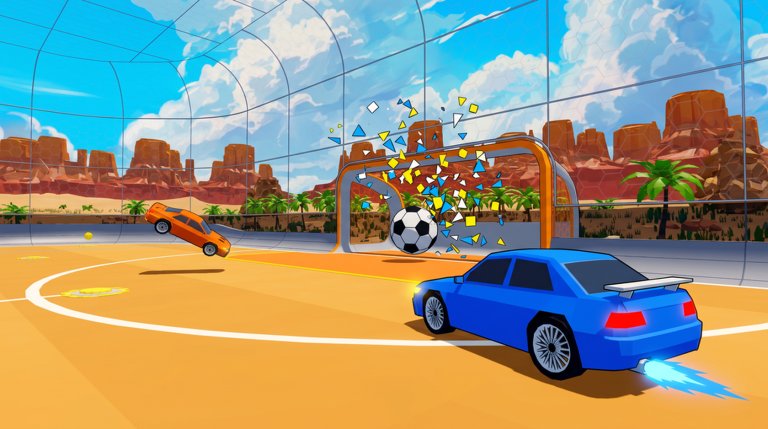
Turbo Soccer : Beta 1.0 - Car Soccer is a free Roblox arena game by zDashi where you drive cars, boost, flip, and score goals in fast competitive matches. Think Rocket League energy with Roblox queues, Credits, cosmetics, courses, and leaderboards. Start with the Getting Started guide, then lock in controls for PC, mobile, and console. Claim the latest working codes, study the car tier list, and practise with the aerials and boost guide. When you are ready to climb, open the ranked guide and the how to score breakdown. Customise your ride in the garage, browse skins, wheels, and boost trails, and keep an eye on beta updates. Players who want automation notes can review the scripts hub carefully. For warm-ups between queues, use the practice checklist.
Working Turbo Soccer Roblox codes for packs and rewards, plus expired codes and Settings→Codes redeem steps updated 4 October 2026.
View all CodesTurbo Soccer Roblox guides hub covering getting started, controls, kickoffs, mobile tips, scoring, aerials, and ranked climb for Beta 1.0.
View all GuidesTurbo Soccer Roblox car tier list hub for Beta 1.0 covering hitbox styles, boost cars, and switch timing tips.
View all Tier ListTurbo Soccer Roblox garage hub for cars, Credits spending, unlocks, and loadouts before browsing cosmetics packs.
View all GarageTurbo Soccer Roblox Beta 1.0 updates hub with patch habits, Discord drops, 7M+ visit snapshot, and weekly grind adaptation tips.
View all UpdatesTurbo Soccer Roblox scripts overview with Barrage features, loadstring notes, executor tips, and account safety warnings.
View all ScriptsTurbo Soccer Roblox tools hub with practice checklist warm-ups, session planners, and links to guides that improve ranked play.
View all ToolsTurbo Soccer Roblox wiki overview: Beta 1.0 car soccer by zDashi, 7M+ visits, Discord invite, Settings→Codes, guides, and ranks.
View all LinksOpen Turbo Soccer on Roblox, join a casual match, and spend two minutes just driving. Then read the full controls guide so boost, flip, and ball cam feel natural.
Redeem every working promo before they expire. Start on the codes hub and follow the step-by-step how to redeem page.
Use the Getting Started guide plus the practice checklist so your first ten matches build muscle memory instead of bad habits.
Check the car tier list and the detailed cars ranking, then customise looks in the garage.
Drill kickoffs, learn clean shots from how to score, add aerials from aerials and boost, and climb with the ranked roadmap. On phone, skim mobile tips first.
Quick answers for Turbo Soccer players.
Read Getting Started, set up controls, then redeem codes before your next match.
Yes. Turbo Soccer : Beta 1.0 - Car Soccer is free to play on Roblox. Cosmetics and packs can use Credits or Robux, but core matches are available without paying.
Yes. PC uses WASD plus mouse, mobile uses on-screen controls, and consoles support compatible controllers. See the controls guide for platform tips.
This wiki is available in English, French, German, Spanish, and Brazilian Portuguese. Pick your language from the switcher at the top of the page.
Third-party scripts can risk your Roblox account. If you still research them, read the scripts hub and how to execute pages, and never share account credentials.
Focus on boost discipline, rotations, and clean shots. Follow the ranked guide and practise aerials with the aerials and boost routine.
From first kickoff to ranked climb, this wiki covers codes, controls, cars, and mechanics. Start with the Getting Started guide or jump into codes and the tier list.
Start with Getting Started