
Getting Started with Turbo Soccer
Your first hour on the pitch without wasting Credits or boost.
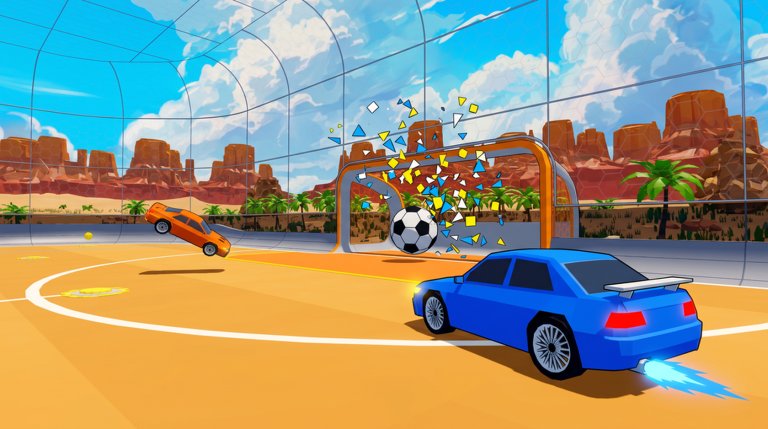
Turbo Soccer : Beta 1.0 - Car Soccer drops you into a Roblox arena where cars replace cleats. The learning cliff feels steep if you chase aerial freestyles on minute one. This guide sequences the first hour so you earn Credits, understand the lobby, and leave with habits that still work in ranked.
Minute 0–10: lobby literacy
- Favourite the experience on Roblox so you can rejoin after crashes.
- Let the lobby load completely — menus appear after the arena streams in.
- Open settings and raise camera FOV slightly if the car hood feels huge.
- Redeem active promos from the codes hub using how to redeem.
- Note where packs, Credits, and the garage live.
Creator zDashi still ships beta changes quickly. If a button moved, check updates before assuming the game is broken.
Minute 10–25: controls before competition
Do not jump straight into ranked. Spend a casual match or free drive learning:
- Throttle, reverse, and steer without boost
- Boost in short taps, not permanent hold
- Jump / flip timing for kickoffs
- Ball cam versus car cam
Full platform tables live in the controls guide. Mobile players should enable the largest comfortable buttons and play landscape.
Minute 25–40: first meaningful matches
Queue casual or low-pressure modes. Goals for these matches:
- Touch the ball before the opponent whenever you can arrive first
- Rotate out after a challenge instead of double-committing
- Collect boost pads on the way back to net
- Take only high-percentage shots — details in how to score
Ignore scoreboard ego. You are installing habits.
Minute 40–55: garage and car comfort
Open packs from codes or match rewards. Equip a balanced car from the tier list guidance. Avoid spending every Credit on trails from cosmetics until your main car feels boringly comfortable.
Minute 55–60: plan tomorrow’s climb
Bookmark:
- Aerials and boost for the next mechanical leap
- Ranked for when kickoffs feel consistent
- Practice checklist for a five-minute warm-up
Core loop after day one
Turbo Soccer rewards a simple loop: play matches, earn Credits, unlock cars and cosmetics, complete courses or missions when available, and climb leaderboards. Courses train precision; matches train decision speed. Alternate them instead of grinding only one.
Common beginner mistakes
| Mistake | Fix |
|---|---|
| Holding boost forever | Tap boost; save tank for challenges |
| Camera locked on car | Learn ball cam from controls |
| Chasing every ball | Rotate; leave space for teammates |
| Buying random cars | Follow cars ranking |
| Skipping codes | Claim PACK same day |
Optional script warning
If social feeds push “auto win” loadstrings, read the scripts hub risk section first. Early accounts get banned often enough that fair practice is the faster long-term climb.
Checklist before you close Roblox
- Codes redeemed
- Controls page skimmed
- One car equipped intentionally
- Two casual matches completed with rotation focus
- Practice checklist bookmarked for tomorrow
You are ready for deeper mechanics. Continue with how to score or aerials and boost.
Frequently Asked Questions
Quick answers for Turbo Soccer players.
Is Turbo Soccer free to play?
Yes. The Roblox experience is free. Packs and cosmetics may cost Credits or Robux, but matches themselves do not require payment.
How long is the beginner ramp?
Most players feel comfortable with ground play after a few sessions. Aerial confidence takes longer — use the aerials and boost guide.
Should I play ranked on day one?
Not yet. Finish this guide, practise controls, then read ranked before a serious climb.
Where do I claim free packs?
Use the codes hub and follow how to redeem.