
Turbo Soccer Codes
Active promo codes, expired list, and Settings → Codes redemption for Beta 1.0.
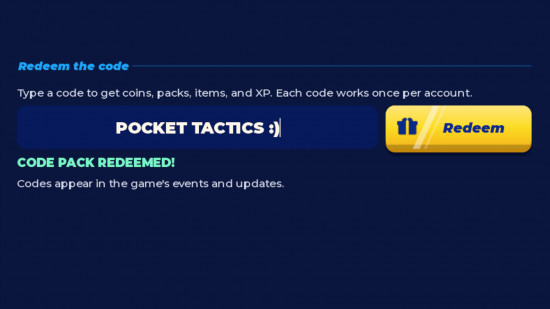
Promo codes are the fastest free boost in Turbo Soccer : Beta 1.0 - Car Soccer on Roblox. Developers drop short strings that unlock exclusive packs, Credits, or cosmetics during beta milestones, Discord pushes, and social shoutouts. Packs can contain stickers, emotes, horns, finishers, and other garage flex — so redeem early.
This hub was re-verified on 4 October 2026. Turbo Soccer is still in beta, so codes appear in bursts rather than on a fixed calendar. Pair this page with the step-by-step how to redeem codes guide whenever the menu layout changes after a patch.
Active Turbo Soccer codes (October 2026)
| Code | Reward | Status | Last checked |
|---|---|---|---|
| PACK | Exclusive / free pack | Active | 4 Oct 2026 |
Copy PACK exactly as shown. Codes are case sensitive. After redeeming, open your inventory or pack menu to confirm the reward landed before you queue again.
If a code fails, double-check spelling, wait a few seconds for server sync, then retry once. Persistent failures usually mean the code expired mid-session or your client needs a reconnect.
Expired codes
| Code | Notes |
|---|---|
| Discord | Retired community code — no longer redeemable |
Expired codes stay listed so you can skip outdated screenshots and TikTok captions that still advertise them.
Fast redeem path (current Beta UI)
Multiple October 2026 guides agree on this lobby flow:
- Launch Turbo Soccer and wait until the lobby fully loads.
- Open Settings (often on the right or bottom of the lobby HUD).
- Choose Codes.
- Paste PACK and hit Redeem.
- Confirm the pack or reward in inventory / garage.
Leave any active match first — promo panels often hide mid-game. Mobile players should use landscape and paste from Notes. Full platform notes: how to redeem.
Where new codes usually appear
- In-game news banners after beta patches
- Creator social posts and livestreams from zDashi
- Official / community Discord drops (join via the invite tracked on the wiki overview)
- Seasonal events and pack promotions
Bookmark this hub and recheck after major updates. When you see a fresh code elsewhere, verify it here before sharing it in chat.
Codes and progression tips
Codes alone will not climb the leaderboard, but they shorten the grind for Credits and packs. After redeeming:
- Spend early Credits on a car that matches your mechanical comfort — see cars ranking.
- Save cosmetic flex for later; performance and boost habits matter more in ranked. Read ranked once you can hit consistent ground shots from how to score.
- Use free rewards during warm-ups from the practice checklist so you learn the car you actually own.
- Mobile players: claim codes before ranked blocks — see mobile tips.
Troubleshooting failed codes
- Wrong case: Retype in all capitals if the list shows capitals.
- Extra spaces: Paste into Notes first, then into the game box.
- Expired mid-day: Refresh this page; beta codes can die without warning.
- UI missing: Return to lobby, open Settings → Codes, or fully rejoin.
- Already redeemed: Most codes are one-time per account.
For day-one setup after rewards land, continue with Getting Started.
Related hubs
Keep your free rewards loop tight: claim codes, unlock cars, then practise mechanics. The scripts hub is separate and optional — codes are the safer progression path. Check updates whenever patch notes mention new promo campaigns.
Frequently Asked Questions
Quick answers for Turbo Soccer players.
What is the working Turbo Soccer code right now?
As of 4 October 2026 the active code listed here is **PACK**. Copy it exactly and follow how to redeem if Settings → Codes looks different after a patch.
Why did the Discord code stop working?
Discord is an expired community code. Retired codes cannot be reactivated by players. Use only the active list above.
Where is the Codes menu now?
Open lobby **Settings**, then **Codes**. Details and platform notes are on how to redeem.
Do Turbo Soccer codes work on mobile?
Yes. Use landscape, open Settings → Codes, and paste carefully. See also mobile tips.
How often are new codes released?
There is no fixed schedule during Beta 1.0. Recheck this page after updates, Discord drops, and creator posts.
Can I reuse a code on multiple accounts?
Each Roblox account typically redeems a code once. Creating accounts only for codes can violate Roblox rules — stick to your main account.